
Notifications
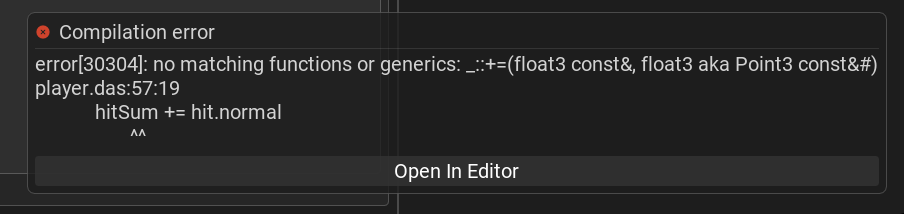
Notifications are short messages that report the result of an action — a finished generation, an invalid operation, a compilation error, and so on. They appear as toasts in the bottom-right corner of the editor and stack upward, with the newest at the bottom.
Appearance and behaviour
Each notification fades in, stays for about ten seconds, then fades out and disappears on its own.
Click a notification to dismiss it immediately.
When a notification refers to a specific file — for example a compilation error — it shows an Open In Editor button that opens that file at the relevant line in the code editor.
Kinds of notification
The icon and colour indicate the kind of message:
Info — a neutral message (for example, the hint explaining how to take a screenshot).
Success — an operation completed (for example, an AI generation finished); shown with a green icon.
Warning — an action could not be performed (for example, trying to delete the root node of the prefab you are editing).
Error and compilation errors — something failed. A compilation error notification carries the file and line, so its Open In Editor button jumps straight to the offending code; the same error is also listed in the Console.