
Code Editor
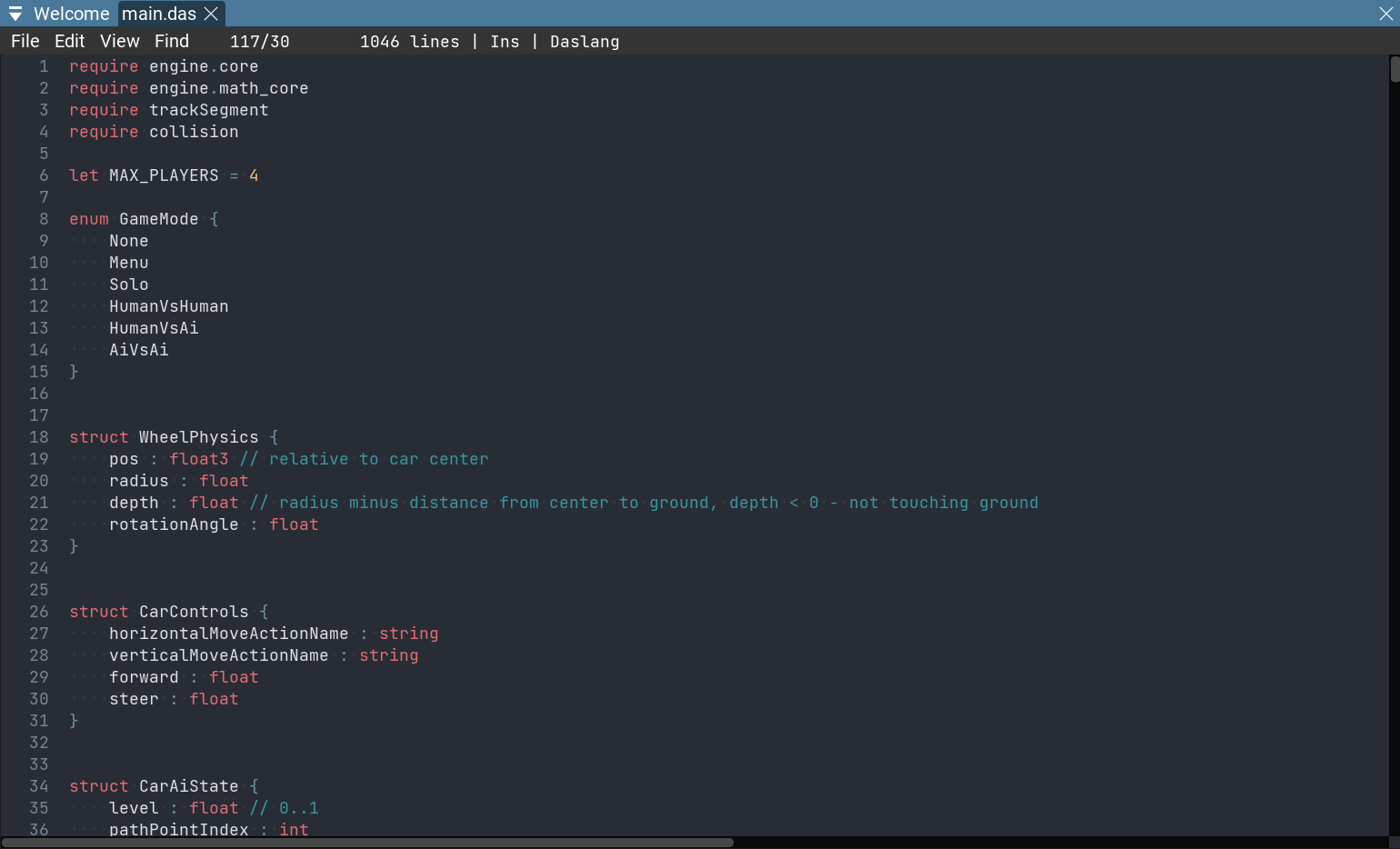
EdenSpark has a built-in code editor for editing your project’s scripts and text files without leaving the editor. Files open as docked tabs.
Note
Which editor opens a file is controlled by the Text Editor Mode setting in Preferences — the built-in editor (default), VS Code, or a custom external editor. This page describes the built-in one.
Opening files
Double-click a script or text file in the Project panel, or use Open in Text Editor from its context menu.
Double-clicking an entry in the Console, or the Open In Editor button on a notification, opens the relevant file at that line.
Opened files are docked tabs; their layout is restored between sessions.
Ctrl+Shift+Treopens the last closed tab. A tab with unsaved changes is marked with a dot.
Find and replace
Ctrl+F opens the find toolbar; Ctrl+H opens it with the replace row expanded (you can also
toggle the replace row with the arrow button on the left). The toolbar offers:
A Find… field. Next / Prev jump between matches — also
Enter/F3, andShift+Enter/Shift+F3for the previous match. The view re-centers on each match.Aa — case-sensitive matching.
Whole words — match whole words only.
A Replace… field with Replace (current match) and Replace all buttons.
x or
Escapecloses the toolbar.
Keyboard shortcuts
In addition to the usual text-editing keys (Ctrl+C / Ctrl+X / Ctrl+V / Ctrl+A):
Ctrl+S— save all open files.Ctrl+Z/Ctrl+Shift+Z— undo / redo.Ctrl+F/Ctrl+H— find / replace.Ctrl+G— go to line.Ctrl+/— toggle line comment.Ctrl+]/Ctrl+[— indent / unindent the selected lines.Ctrl+Shift+Up/Ctrl+Shift+Down— move the selected lines up / down.Ctrl+Shift+K— remove the current line(s).Ctrl+D— add a cursor at the next occurrence of the selection (multi-cursor editing).Insert— toggle overwrite mode.Ctrl+=/Ctrl+-— increase / decrease the font size (alsoCtrl+ mouse wheel).
Daslang features
For .das files the editor adds:
Syntax highlighting.
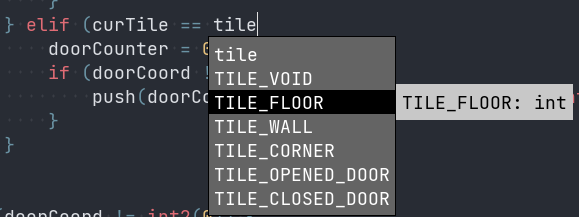
Auto-completion — press
Ctrl+Spacefor fuzzy-matched suggestions (module, struct, and function names) with descriptions;Up/Downto navigate,TaborEnterto apply.
Auto-format —
Ctrl+Alt+F(or Edit > Auto format) reformats the file.Error markers — compilation errors are marked on the offending line with their message; the same errors are listed in the Console.
Saving and external edits
Ctrl+Ssaves all open files. Starting the game also saves modified files first when Auto save files on play is enabled in Preferences.If a file is changed on disk outside the editor, the open tab reloads automatically; if it is deleted or renamed, the tab closes.