
Prefab Creation
Prefab Files
Prefabs are stored in files with the
.prefab extension.These files contain serialized data of the prefab.
You can edit these types of prefabs in our editor.
Prefab Inheritance
You can create a prefab that is a descendant of another prefab. This can be done via the
Extend Prefab option in the context menu of a prefab file.This new prefab inherits all nodes from the original, which can be edited as usual, like nodes of a nested prefab. A descendant prefab can be thought of as a prefab that consists only of one other nested prefab.
For a usage example, see the block_game demo sample.
Model Prefabs
Each model asset contains a prefab resource, which can be instantiated in the scene.
If you change the model asset, instances of the prefab will be updated automatically.
We do not support editing model prefabs, because they are built into the model asset.
Model Prefab Instantiation
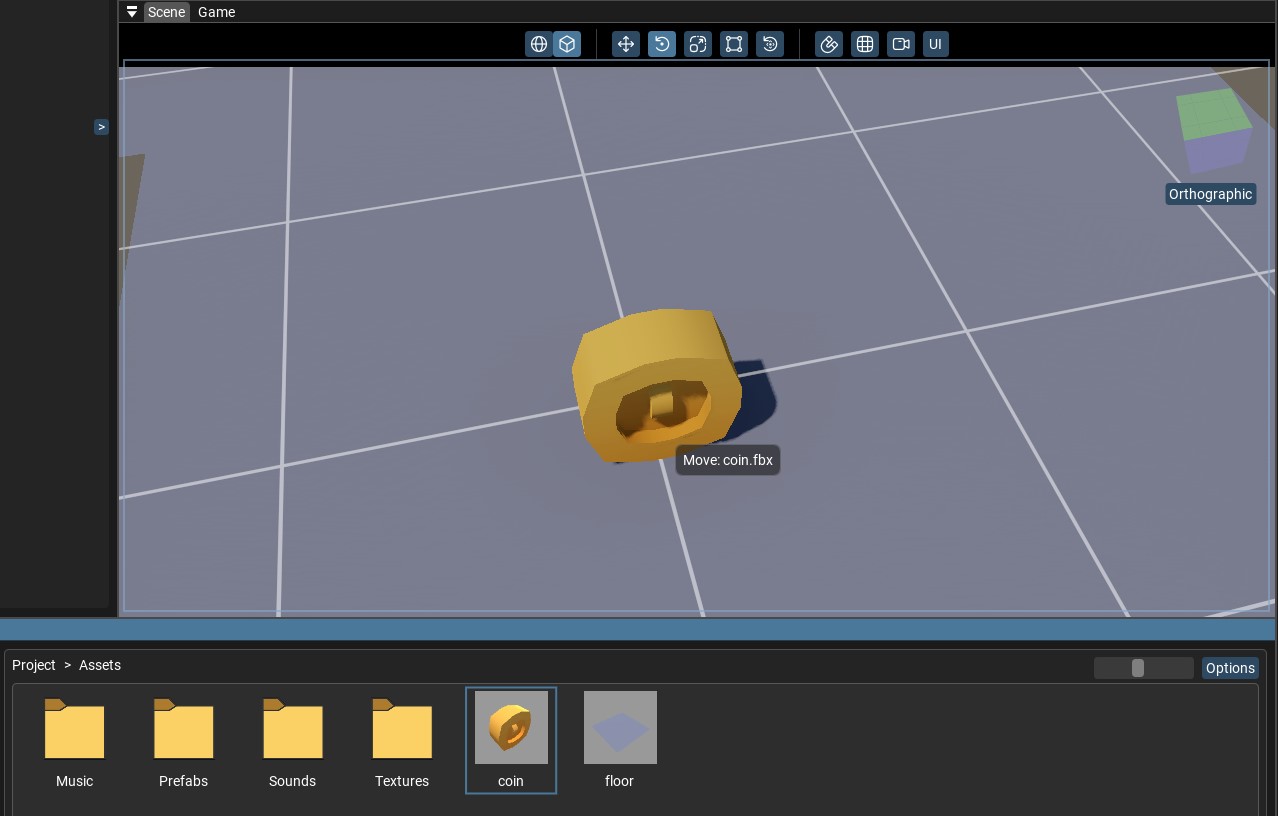
The easiest way to instantiate a prefab is to drag and drop the model asset into the scene.
A prefab instance will be created at the mouse position.
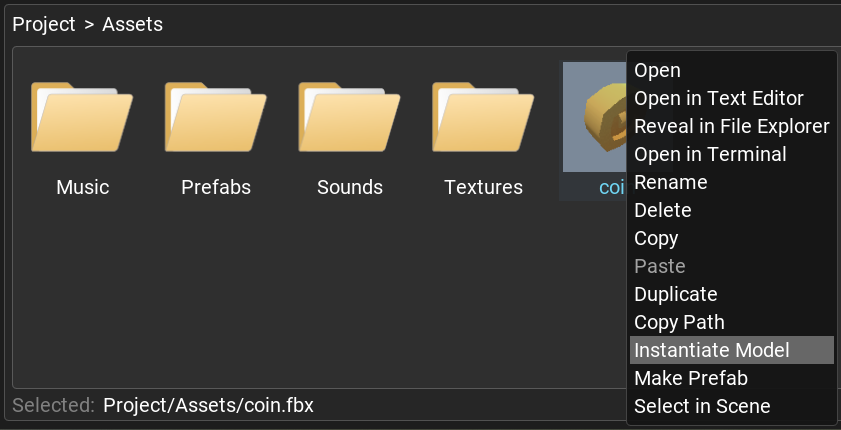
Alternatively, you can right-click on the model asset in the Project panel and select
Instantiate Model from the context menu.A prefab instance will be created at the origin.
See Drag and Drop for every drag interaction.
Model Prefab Creation
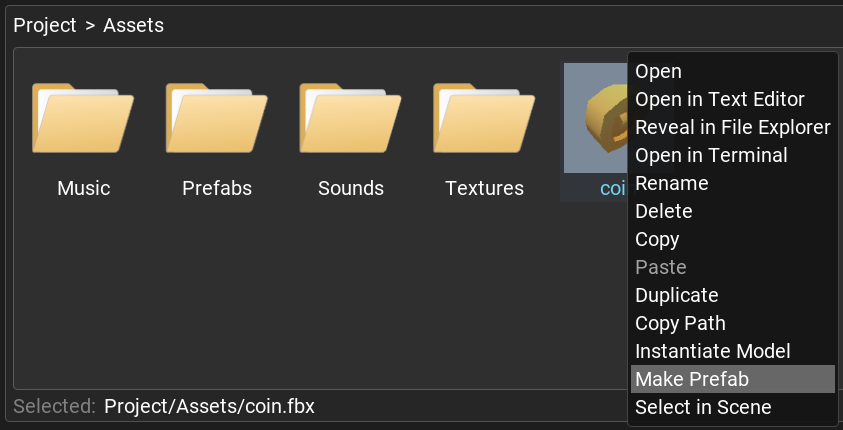
To make the prefab, right-click on the model asset in the Project panel and select
Make Prefab from the context menu.You will see a new file with the same name as the prefab, but with the
.prefab extension.Feel free to rename this file and edit it as a regular prefab.