
CubeMaps and Skyboxes
A cubemap is a special texture type made of six faces. Its most common use is a skybox — the background drawn around the scene. This guide covers creating a cubemap texture and setting it up as a skybox material; for ordinary 2D textures see Texture Importing and Texture Editor Tools.
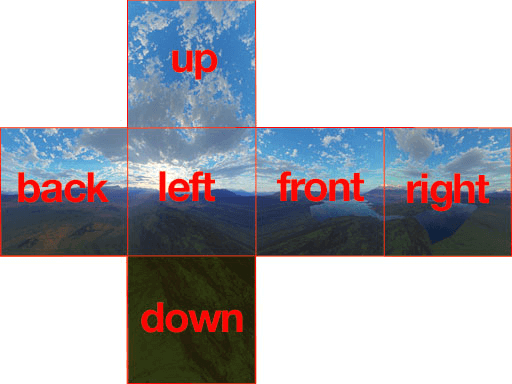
CubeMap Creation
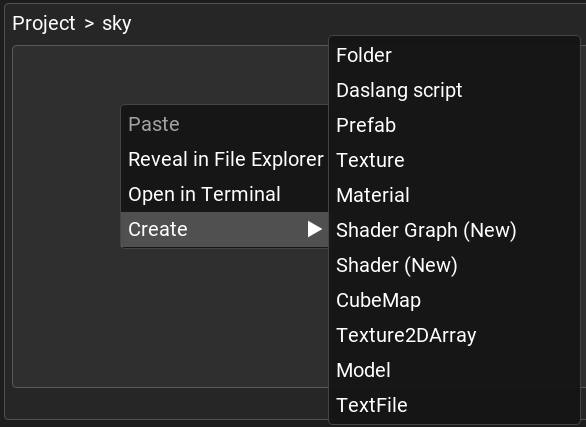
First, you need to create a cubemap texture. You can do this by clicking the Create/CubeMap button.
The cubemap editor has two modes, controlled by the Six Sliced Cubemap checkbox:
Six Sliced Cubemap (enabled) - Requires six separate textures, one for each face: X+(right), X-(left), Y+(top), Y-(bottom), Z+(front), Z-(back).
Single texture (disabled) - Uses a single texture for the cubemap.
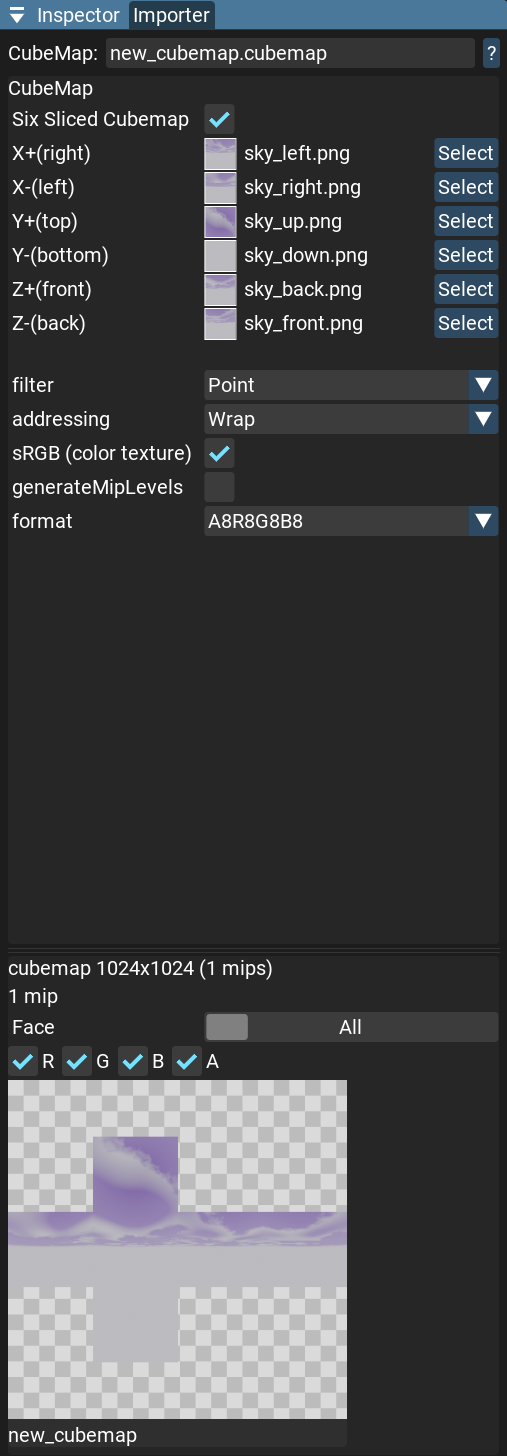
Set up a texture for each side of the cubemap. Changes will be applied immediately, and you can see them in the preview.
Warning
All slices should be POT textures (Power of Two) and have the same resolution.
Note
The generateMipLevels option is useless for cubemaps. The skybox shader doesn’t use mip levels.
Skybox Material
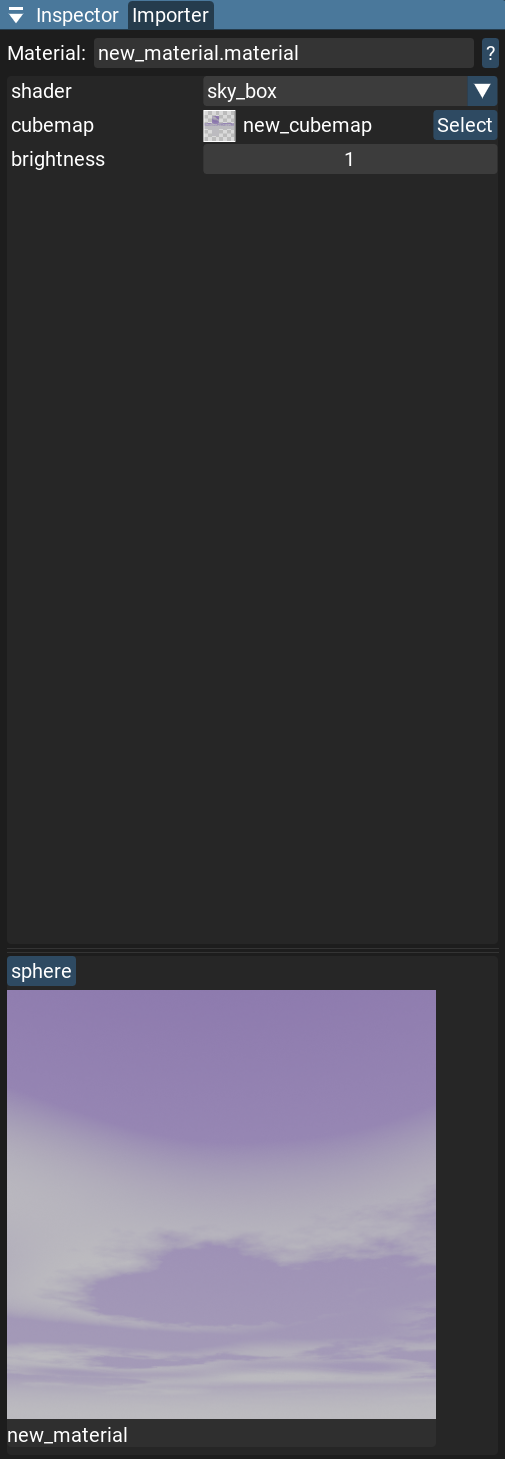
Create a new material (Create/Material) with the sky_box shader. Set your cubemap texture as a cubemap texture (slot 0).
Rotate the preview to check that everything is correct.
Now you can use this material as a skybox in the render settings.