
Debugger
The debugger is an essential tool for finding out what is happening in your game.
To start the game with the debugger, perform the following steps:
Open your game project in the editor
In the editor toolbar, click the Debugger button
Check Enable Debugger and click Apply
The game will reload with debugging enabled
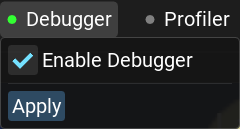
The indicator shows whether the debugger is active (green = enabled, gray = disabled).
Step 2: Attach Debugger
Once the game reloads with debugger enabled, attach the debugger:
In VS Code, select
Attach das debuggerfrom the Run and Debug menu.
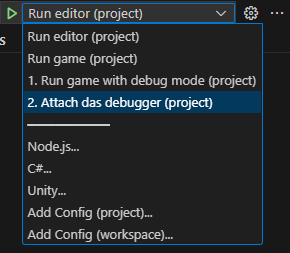
The debugger will connect to the game and you can now set breakpoints and inspect variables.