Context7 MCP Code Assistance Setup
EdenSpark and Daslang documentation is now available on Context7 - a Cloud RAG Platform - allowing you to enable dynamic code assistance in your editor using the most up-to-date documentation.
The Context7 integration relies on MCP server which allows you to integrate it with your favorite code editor like VSCode, Cursor, ClaudeCode and more… the full list of editors is available on the Context7 MCP Official GitHub page.
Installation Steps
Create an account on https://context7.com/ and generate an API key in the Dashboard section. Copy and store the key securely.

Copy the MCP config for your editor from Installation section of Context7 MCP Official GitHub and paste the snippet into your editor’s MCP config file. Although the example video uses Cursor, you can use it with any Editor or Tool that supports MCP. Paste your API key.
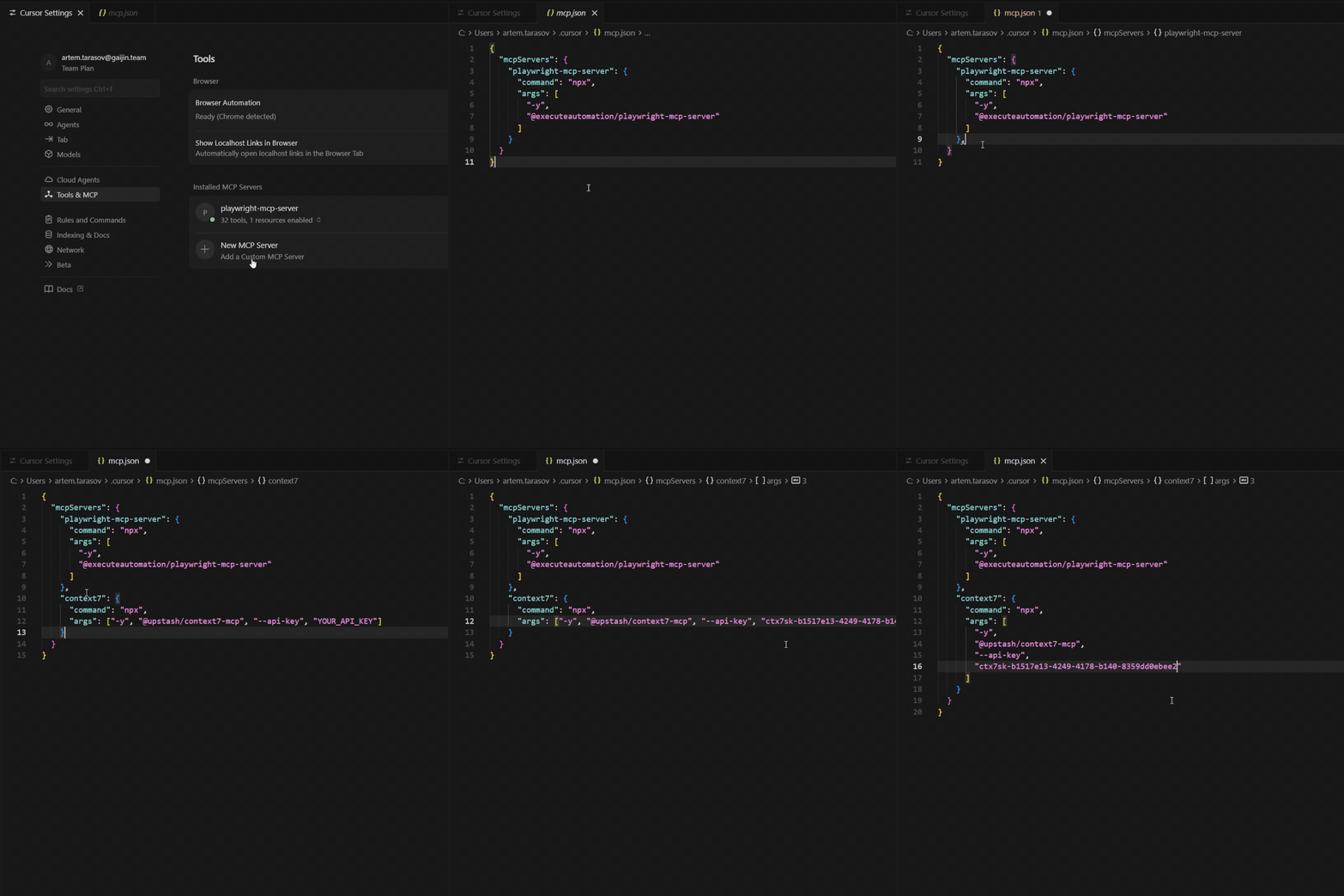
Restart your editor.
In case you leverage Agents.md or Rules.md, you can now specify that you want your agents to refer to the Context7 MCP integration to retrieve better context for EdenSpark or Daslang. If you don’t use these files, don’t worry; just manually specify your intention to use the Context7 MCP in your agent query.
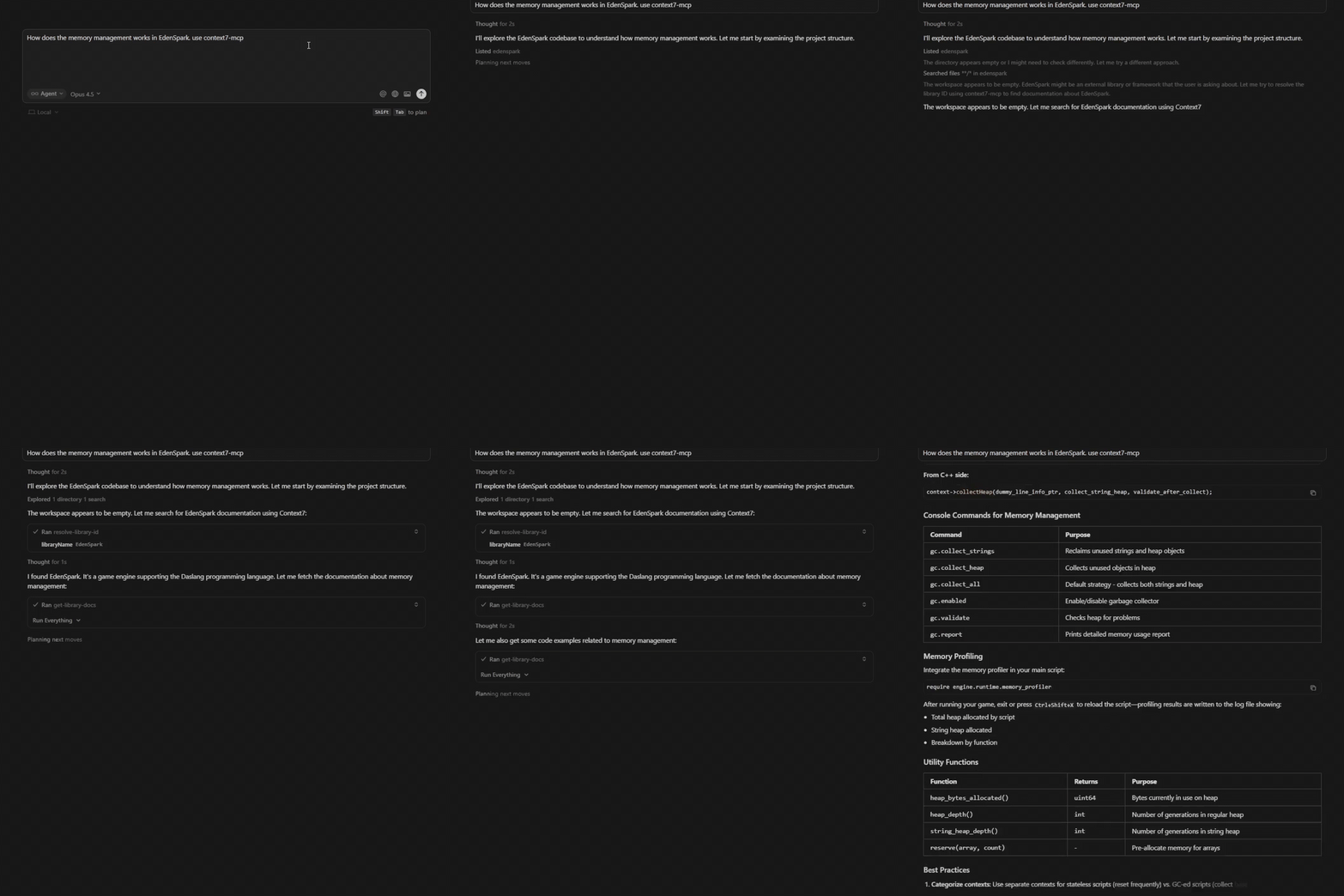
Retrieval is now active!